
Most of the small business owners I work with in Melbourne have spent good money on a website. Some of them have even sorted out their Core Web Vitals (nice one if you have). When I ask them to Google their own business name plus their suburb, things get quiet.
Either their business doesn’t show up at all - that one has six possible causes worth checking in order before you touch anything else - or it shows up with the wrong address, no photos, and zero reviews. Their competitor down the road - the one with the worse website - is sitting right there in the Map Pack with 87 reviews and a 4.8-star rating.
That’s local SEO at work. It’s not about having the fanciest website. It’s about making sure Google knows where you are, what you do, and that real customers vouch for you.
The pattern I keep seeing is the same. The business owner didn’t know Google Business Profile existed, or they claimed it three years ago and never opened it again. They had no idea reviews were a ranking factor. Their phone number was listed differently on four different directory sites.
This guide is the conversation I have with every new client. Everything in here is specific to Melbourne and Australia, based on what’s actually working right now.
What is local SEO and why does it matter for Melbourne businesses?
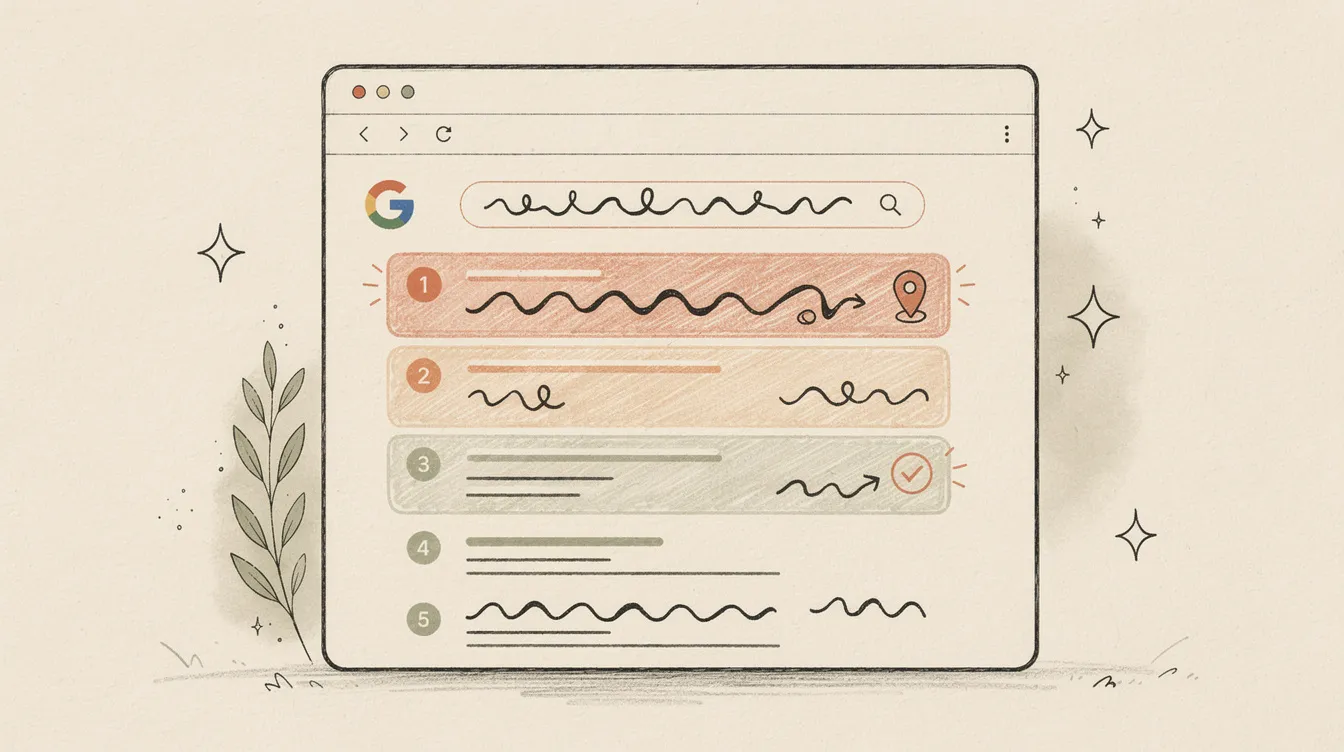
Local SEO is the practice of making your business visible when someone nearby searches for what you sell. Not just on your website. In Google Maps, in the Map Pack (that three-business box at the top of local search results), and increasingly in AI-generated answers.
The scale of local search catches people off guard. The most-cited figure is that 46% of all Google searches carry local intent. It comes from a Google presentation back in 2018 (Search Engine Roundtable), and Google hasn’t published a newer number, so treat it as a rough guide rather than gospel. The shape of it holds, though: a big share of searches are someone looking for something near them. “Plumber Northcote.” “Best coffee Richmond.” “Accountant near me.”
Melbourne is one of the most competitive local search markets in the country - 5.4 million people, hundreds of suburbs, and a café or tradie around every corner.
Here’s the bit that matters for your bottom line: someone searching “plumber Northcote” with water coming through the ceiling isn’t browsing. They’re ready to spend, and they’ll call whoever shows up first and looks legitimate.
And 97% of consumers read reviews for local businesses before they decide (BrightLocal, 2026 - a US survey).
Try this: Open Google in an incognito window and search for [your business name] [your suburb]. Then search for your main service plus your suburb, e.g. plumber Northcote or accountant Brunswick. If your business doesn’t show up in the right-hand panel or the Map Pack at the top, you’ve already found the work.
How does Google decide which local businesses to show first?
Google’s local search algorithm works on three pillars. They’ve been consistent about this for years, and their official documentation spells it out (Google Business Help, 2026):
Relevance - Does your business match what the person searched for? This comes from your business categories, your description, your website content, and the words people use in their reviews about you.
Prominence - How well-known is your business? Google measures this through reviews, citations (how many directory sites mention you), backlinks, and your overall online presence. A business with 200 reviews and listings on 15 directories outranks one with 3 reviews and no directory presence.
Distance - How close is the searcher to your business? This is the one you can’t control. If someone searches “plumber” while standing in Fitzroy, Google favours Fitzroy plumbers. You can’t game your way around proximity, and anyone claiming they can is probably charging you too much.
The first two are entirely within your control. The third is geography.
The gap between the Map Pack and everything below it is stark:
SOCi analysed more than 300,000 Google listings and found that businesses in the local 3-pack earn 126% more search traffic, and 93% more customer actions like calls, website clicks and direction requests, than the businesses sitting just below them in positions four through ten. If you’re not in the Map Pack, you’re fighting over what’s left.
So the question becomes: how do you get into the Map Pack? That starts with your Google Business Profile.
Why is your Google Business Profile the most important thing to get right?
Every year, Whitespark surveys dozens of local SEO experts about what actually moves the needle. In 2026, 47 practitioners assessed 187 ranking factors. The result? Google Business Profile signals came out on top (Whitespark, 2026). Not your website. Not your backlinks. Your GBP.
And plenty of businesses don’t have one at all. BrightLocal’s 2025 survey of 778 small business owners found only 35% had a Google Business Profile (BrightLocal, 2025). That’s a US sample, so treat it as a pattern rather than an Australian number, but it matches what I see here.
If you haven’t claimed yours, that’s the first thing to fix. Go to business.google.com, search for your business, and follow the verification process. Google offers several verification methods, and video verification is the one it now recommends where your business is eligible (Google). Postcard by mail still exists for some businesses, but it isn’t available to everyone any more.
Try this: Log in to Google Business Profile manager right now. Check every field — categories, hours, services, attributes, products, photos. Empty fields hurt your prominence score. Fill what’s blank in the next 20 minutes. Most of it costs nothing but attention.
Google Business Profile best practices for Melbourne businesses
Once it’s claimed, the details matter:
Business name - Use your real trading name. Don’t stuff keywords in here (“Melbourne’s Best Plumber - 24/7 Emergency Plumbing Services” will get you suspended). Just your actual business name as it appears on your signage and paperwork (Google Business Help, 2026).
Primary category - This is the single most impactful field on your entire profile. Choose the most specific category that describes your core business. “Plumber” beats “Contractor.” “Vietnamese Restaurant” beats “Restaurant.” You get one primary and up to nine secondary categories.
Business description - You have 750 characters. Focus on what you do and where you do it. No promotional pricing, no links, no keyword stuffing. This isn’t ad copy. It’s your elevator pitch to Google.
Photos - Upload your shopfront, your team, your work, your products. Real photos. Not stock images. Aim for 15-20, enough that the profile looks like somebody still works there.
Hours - Keep these accurate. If you close on public holidays, update it. Being closed at search time pushes you down hard - local SEOs in Whitespark’s 2026 ranking-factors survey describe rankings starting to slide in the hour before closing (Whitespark) - so wrong hours cost you visibility at exactly the moment someone is looking.
Posts - Google lets you publish updates, offers, and events directly on your profile. Most businesses ignore this. Posting once a week signals to Google that your profile is active and maintained.
Getting your GBP right is free. It takes an afternoon. And it has more impact on whether locals find you than almost anything you can spend money on.
What do reviews actually do for local rankings?
Reviews account for roughly 20% of Google’s local pack ranking calculation (Whitespark, 2026), up from 17% in the 2023 edition. That might not sound like much, until you see what’s changed in consumer behaviour over the past two years.
The BrightLocal 2026 Local Consumer Review Survey talked to over 1,000 US consumers, and the numbers are stark (BrightLocal, 2026):
- 97% of consumers read reviews for local businesses
- 68% will only use a business with 4+ star ratings (up from 55% in 2025)
- 31% now require 4.5 stars or higher (up from 17% in 2025)
- 74% want reviews written in the last three months (and 32% now want them from the last fortnight)
- 47% won’t use a business with fewer than 20 reviews
- 89% expect businesses to respond to reviews
The expectations are climbing fast:
That AI tools number is the one that jumps out. 45% of consumers are now using ChatGPT and similar tools to find local businesses, up from just 6% in 2025. Your reviews aren’t just being read by humans anymore. They’re being summarised by AI and served as recommendations. 82% of consumers now read AI-generated review summaries, and 23% are willing to make decisions based on those summaries alone.
Try this prompt: Paste this into ChatGPT, Claude, and Perplexity, replacing the brackets with your details:
“I’m in [your suburb, Melbourne] looking for a [your service]. Who would you recommend, and why?”
Then run it again with your business name explicitly:
“What does [your business name] in [your suburb] do, and would you recommend them?”
Compare the answers across all three. If you’re missing from the recommendation, or the description is vague or wrong, that’s a GBP/reviews/citations gap. The AIs are pulling from the same signals Google uses for the Map Pack — so a fix here usually fixes both.
For your review strategy, the practical takeaways:
Ask for reviews consistently. Not once. Every time you finish a job. A simple follow-up text with a link to your Google review page works. The businesses I work with that do this consistently get 4-8 new reviews per month, which is enough to stay current.
Respond to every review. 89% of consumers expect it. Personalise the response. 50% of consumers said they’d avoid a business that uses generic, copy-paste responses. Mention something specific about their experience.
Don’t panic about the occasional bad review. A perfect 5.0 rating actually looks suspicious to most people. What matters is how you respond to the negative ones. A thoughtful, professional reply to a one-star review tells potential customers more about you than fifty five-star reviews.
Where should Melbourne businesses list themselves online?
Your business details need to be consistent across every place they appear online. Google cross-references these listings - they’re called “citations” in SEO - and conflicting details undermine its confidence in your business information.
NAP stands for Name, Address, Phone. Keep all three consistent everywhere you’re listed: the same business name, the same phone number, your current address. Formatting quirks like “St” on one listing and “Street” on another aren’t the problem. Genuinely conflicting information is: an old address on one directory, a disconnected number on another, a trading name here and a company name there.
Try this: Search your business phone number on Google (in quotes — “03 9555 1234”). Every result that lists your business should show your current name, address, and phone. Don’t chase formatting differences; chase genuine conflicts, like an old address or a superseded number. Make a list, fix the easy ones in the next hour, and chase the rest over the next few weeks.
Here are the Australian directories worth your time:
| Directory | Notes |
|---|---|
| Yellow Pages Australia | The best-known Australian directory. Free basic listing |
| True Local | Long-running Australian directory |
| StartLocal | Australian-specific, free basic listing |
| Yelp Australia | Global platform with Australian presence |
| Localsearch | Service-focused Australian directory |
| AussieWeb | Regional focus |
| Hotfrog | Free listing available |
Directory authority and traffic shift over time, and the third-party “domain authority” scores that circulate for these sites are often years out of date. Don’t pay for a premium listing on the strength of one.
Start with Google, Bing Places, Apple Maps, and Facebook. Those are the four big ones. Then work through Yellow Pages and True Local (the two best-known Australian directories). After that, add industry-specific directories relevant to your trade.
The rule of thumb is 15-20 quality listings across major directories for real local SEO benefit. Most Melbourne businesses I audit have between two and five. There’s usually easy ground to make up here.
One thing I always warn clients about: some of these directories push hard on upsells. You don’t need to pay for premium listings on most of them. A free listing with accurate NAP info is enough. The value is in the citation itself, not the paid extras.
How to add local schema markup to your website
Schema markup is code you add to your website that tells Google what your business is and where it’s located. It won’t change how your site looks. It runs in the background, giving search engines data they can use to show your business info in search results.
If you’ve ever seen a business in Google search results with their opening hours, star rating, and address displayed right there in the listing, schema markup is what makes that happen.
Google recommends JSON-LD format for structured data (Google Developers, 2026). Here’s what a LocalBusiness schema looks like for a Melbourne business:
{
  "@context": "https://schema.org",
  "@type": "Plumber",
  "name": "Smith Street Plumbing",
  "address": {
    "@type": "PostalAddress",
    "streetAddress": "123 Smith Street",
    "addressLocality": "Fitzroy",
    "addressRegion": "VIC",
    "postalCode": "3065",
    "addressCountry": "AU"
  },
  "telephone": "+61-3-9555-1234",
  "url": "https://www.smithstreetplumbing.com.au",
  "geo": {
    "@type": "GeoCoordinates",
    "latitude": -37.8002,
    "longitude": 144.9782
  },
  "openingHoursSpecification": [
    {
      "@type": "OpeningHoursSpecification",
      "dayOfWeek": [
        "Monday", "Tuesday", "Wednesday",
        "Thursday", "Friday"
      ],
      "opens": "07:00",
      "closes": "17:00"
    }
  ],
  "image": "https://www.smithstreetplumbing.com.au/images/storefront.jpg",
  "priceRange": "$$"
}
A few things to get right:
Use the most specific @type. Don’t use “LocalBusiness” when “Plumber” or “Restaurant” or “DaySpa” exists. schema.org defines hundreds of specific business types. The more specific you are, the more useful the data is to search engines. The full list is on schema.org.
Match your GBP data. Your schema markup should reflect exactly the same name, address, phone number, and hours as your Google Business Profile. Mismatches weaken both signals.
Include geo coordinates. Use at least five decimal places for latitude and longitude. You can get these from Google Maps by right-clicking on your location.
Validate before publishing. Run your page through the Google Rich Results Test to check for errors. Then use the URL Inspection Tool in Google Search Console to confirm Google has picked it up.
If this looks like something you’d rather not deal with yourself, that’s fair. For a broader look at how structured data connects to AI-powered search, I wrote about that in the context of GEO and AI search optimisation.
Your developer or SEO person should be able to add this in under an hour. It’s a one-time job that keeps working indefinitely.
Mobile and voice search: how Australians actually find local businesses
If you’re still thinking about local search as someone sitting at a computer typing keywords, that picture is about five years out of date. Local searching happens on phones now - standing outside somewhere, sitting in a car, walking down a street. And the behaviour on mobile is different. It’s faster, more immediate, and more likely to end in a purchase.
Someone searching on their phone is usually close to acting. They’re walking around Collingwood looking for a place to eat. They’re in Coburg with a busted hot water system. They need something now, and they’re going to pick the first business that looks legitimate.
Voice search is making this even more immediate. The caveat: the good voice-search research is old, and most statistics roundups quietly re-date it every year. Here it is at its real vintage.
BrightLocal found that 76% of smart speaker owners use them to search for a local business at least weekly (BrightLocal, 2018). “Hey Siri, find a locksmith near me.” “OK Google, best Thai restaurant in Brunswick.”
Voice queries are longer and more conversational than typed searches. Backlinko’s analysis of 10,000 Google Home results found the average voice answer runs just 29 words (Backlinko, 2018), which means the assistant is looking for concise, direct answers to serve back. That means the content on your website and in your GBP description needs to answer the kind of questions people actually ask out loud. Not keyword-stuffed bullet points. Natural, conversational answers to real questions.
The businesses that show up in voice search tend to have strong Google Business Profiles, good review scores, and accurate info. A SEMrush study found close to 80% of Google Assistant answers came from the top three organic results (SEMrush, 2019). Having your business information structured clearly - with schema markup and a well-maintained GBP - gives you the best chance of being the answer.
What can you do this week?
You don’t need to do everything at once. Here are seven practical things, ordered by impact:
-
Claim and verify your Google Business Profile at business.google.com. If you already have one, log in and check that every field is accurate and complete. This alone has more impact than most things you can pay for.
-
Choose the right primary category. Search for your type of business on Google and look at what category the top three results are using. Pick the most specific one that fits. Don’t use a broad category when a specific one exists.
-
Upload 15-20 real photos. Storefront, team, products, completed work. Skip the stock photos.
-
Set up a review request process. Create a direct link to your Google review page and send it to every customer after you finish a job. A simple text message works. Aim for 4-8 new reviews per month.
-
List your business on Yellow Pages Australia and True Local. These are the two best-known Australian directories. Use the same business name, phone number, and current address as your GBP.
-
Add LocalBusiness schema markup to your website using the JSON-LD format shown above. Hand the example to your developer. It takes less than an hour to implement.
-
Google yourself every week. Search for your business name plus your suburb. Search for your main service plus your suburb. Note where you appear, who’s above you, and whether your information is correct. You can’t improve what you don’t measure.
Tools & Resources
Everything mentioned above, plus a few worth bookmarking. All free unless labelled.
Free tools
- Google Business Profile manager — claim, manage, and update your business listing. Where most of the work happens
- Google Search Console — see which searches are showing your website (and which aren’t). Free with site verification
- Google Rich Results Test — paste a URL and confirm Google can read your structured data
- Schema Markup Validator — official Schema.org validator for your JSON-LD before publishing
- Schema.org LocalBusiness type browser — full list of business sub-types (Plumber, Restaurant, Florist, etc.) so you can pick the most specific
@typefor your schema - Google Maps coordinate lookup — right-click your location to get latitude and longitude for your schema
- BrightLocal Local Search Audit — Map Pack rank tracking across a grid of nearby locations [paid tool, free trial]
- Whitespark Local Citation Finder — finds industry-specific citation opportunities you may have missed [paid tool, free demo]
Sample prompts
- Test what AI says about your business — paste this into ChatGPT, Claude, and Perplexity: “What does [your business name] in [your suburb] do, and would you recommend them?” Compare across all three. Vague or inconsistent answers mean your GBP and reviews aren’t doing the work.
- Test your service-area visibility — paste into ChatGPT or Claude: “I’m in [your suburb, Melbourne] looking for [your service]. Who would you suggest?” If you’re not in the answer (or worse, if a competitor is), there’s GBP and citation work to do.
- Audit your GBP description — paste your current GBP business description into ChatGPT and ask: “Read this as a 55-year-old Melbourne local searching for [your service]. Would you call this business? What’s missing or unclear?” Most descriptions read like ad copy. Plain English wins.
Checklists
- NAP parity audit — search your phone number (in quotes) on Google. Every result with your business listed should show your current name, address, and phone. Genuine conflicts (old addresses, superseded numbers) are the ones worth fixing; ignore formatting quirks.
- GBP completeness check — log in to your GBP and confirm every field is populated: hours (including holidays), categories (one primary, up to nine secondary), photos (15+), services, attributes, products, and at least one Post in the last 30 days.
- 15-minute weekly self-search — see “What can you do this week?” above. The seventh item is the one most people skip and the one that compounds fastest.
Further reading
- What is GEO? AI search guide for SMBs — how to surface in ChatGPT, Perplexity, and Google AI Overview citations. Pairs directly with the AI prompts above
- Core Web Vitals: why a slow website is costing you sales — the page-experience thresholds Google measures. Worth fixing before you send more local traffic to a slow site
- How to tell if your Google Ads are actually working — paid-search complement to local SEO
- Local SEO, Melbourne — my service page, if you’d rather have someone do this for you
- SEO & analytics — the broader SEO foundation local search sits on
Nathan Schram is a digital consultant based in Melbourne. He helps small businesses with local SEO, web design, and Google Ads - built for results, not reports. For a deeper look at website performance, see Core Web Vitals: why a slow website is costing you sales.