

Start here
Outcome: you know which of six causes explains your missing listing, and whether it’s a quick fix or a longer job. Time: about 15 minutes, in my experience. Cost: $0 - every check uses free Google tools.
Do first: the five-minute search test, then walk the six causes in order. You’ll need: nothing for the first checks; access to the Google Account that manages your Business Profile for causes 1, 2 and 5.
Done when: you can point at the cause that applies - or every check passes, which is an answer too: your listing is fine and you have a ranking question instead.
You type your own business name into Google and it isn’t there. Or a customer says “I tried to find you on Google and nothing came up”, which is worse, because now you’re wondering how many others gave up quietly. It’s a small panic with an unhelpful search results page attached - the answers are a mix of Google help articles and agencies happy to fix it for a monthly fee.
But “not showing up on Google” isn’t one problem. It’s six different problems that all look the same from the outside. Some of them you can fix yourself this week for nothing. One of them you can’t, and knowing which kind you have is the entire game. So don’t start changing settings at random. Check the causes in order - the order below rules out the most common and cheapest-to-fix ones first, which is the same order I work through when this exact panic lands in my inbox.
First: what’s actually showing right now?
Before touching anything, find out what Google is actually displaying. This takes about five minutes and it shapes everything after it.
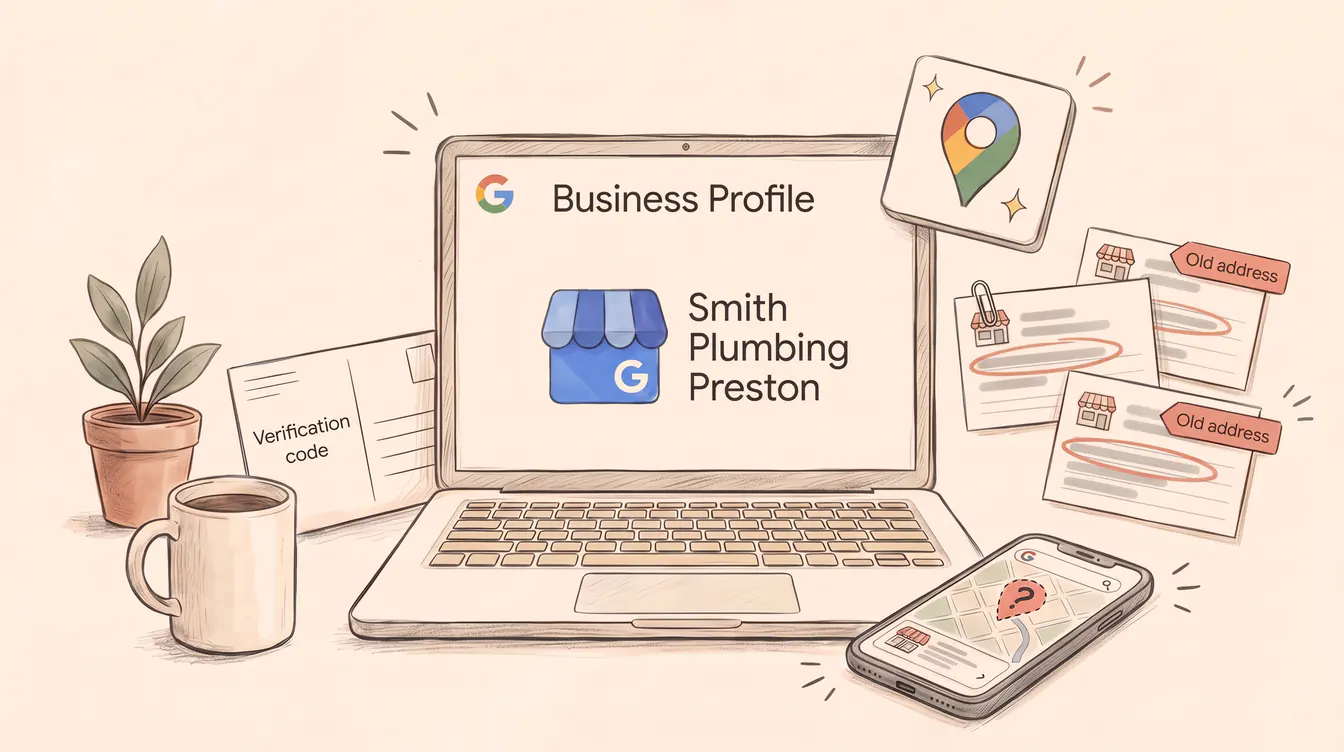
Try this: open a private (incognito) browser window - so your own search history isn’t colouring the results - and search for your exact business name plus your suburb, like “Smith Plumbing Preston”. Then do the same search in Google Maps. Note what appears: nothing at all, a profile with wrong details, or your profile sitting below competitors.
Then check the other side of the counter. Sign in to the Google Account you manage the business with and open your Business Profile. Google’s own advice for finding it is to search your business name and city, or just search my business while signed in. What you find determines your starting point:
- No profile exists anywhere - not in the search, not in Maps, nothing to manage. Go to cause 1: your business was probably never added or verified.
- A profile exists but you can’t see it publicly - there’s something in your dashboard, but the incognito search finds nothing. Work through causes 1 to 5 in order.
- Your profile appears, just not where you’d like - it exists, the details are right, but competitors sit above you. Skip ahead to cause 6. You have a ranking question, and it’s a different conversation.
One scope note before the checklist: this is about your business listing - the profile that appears in Maps and the map panel in results. If your whole website is also missing from ordinary Google results, that’s a separate problem (search indexing) with its own checks, and none of the causes below will explain it.
One wrinkle worth knowing: Search and Maps don’t always agree. A profile can appear in Maps but not in the main results, or the other way around, especially while it’s new or recently edited. If you’re in that in-between state, the timing section below is probably your answer.
The six causes, in order
Work top to bottom. Each check either names your problem or rules it out and moves you down the list.
1. Your profile isn’t verified
In the checks I run, this is the most common cause - and the most invisible from the inside. Google states plainly that only verified businesses can show their business info on Maps and Search - an unverified profile can look complete in your dashboard while showing nothing to anyone else.
Check: open your Business Profile and look for a Get verified button or a pending verification task. If it’s there, that’s your answer.
Fix: verify using whichever methods Google offers you - the options are determined automatically based on your business type and region, and you can’t pick a different one. Depending on the business it might be a phone call, text, email, video recording, live video call, or a postcard to your address. Google’s verification guide says most postcard codes arrive within 14 days, and codes expire after 30 days. Two traps while you wait: don’t edit your business name, address or category (it invalidates the code), and don’t request a new code out of impatience, because that invalidates the one already in the mail.
Done when: verification is submitted and, after Google’s review - which it says can take up to 5 business days - you get the confirmation email.
Stop if: you’ve failed verification more than once. Repeated failed attempts sometimes mean a guidelines issue underneath, which is the next check.
2. Your profile has been suspended
Google suspends or disables profiles that break its guidelines, and a suspended profile won’t show to anyone until it’s resolved. If your listing used to appear and then vanished, this should be your first suspicion.
Check: Google says it notifies you in the Google Account that manages the profile, so look there and in your dashboard for a suspension or restriction notice.
Fix: first, work out what tripped it. The usual suspects are things owners do in good faith because someone told them it “helps SEO” - the classic is adding extra words to your business name, like Smith Plumbing | Best Plumber Melbourne 24/7. Google’s guidelines require your real-world name, exactly as it appears on your signage and stationery, and say bluntly that stuffing anything else in can get the profile suspended. Also check you haven’t got more than one profile for the same business - the guidelines allow one each.
Fix whatever’s non-compliant first, then appeal through Google’s appeals tool, which shows you the reason and the policy it says you violated. You can attach evidence - business registration, a licence, tax certificates, utility bills - and I would, every time, because it’s the difference between an appeal and an argument. One warning from Google worth repeating: don’t create a fresh profile for the same business while the appeal is under review.
Done when: the appeal comes back approved and the listing reappears.
Stop if: the appeal is denied. You can request an additional review with new evidence, but a denied appeal on a business that depends on Google is the point where I’d get a professional to look at why before you burn the additional review too.
3. It’s just too new (or you just changed it)
Sometimes nothing is wrong. Google’s own numbers, scattered across its help pages, are slower than most owners expect: profile edits usually show up in about 10 minutes but can take up to 30 days if they need review, edits can take up to 3 days to be reflected in search results, and rankings for brand-new businesses “can take up to a month to appear in search results”. That last one surprises people every time.
Check: did you create the profile, finish verification, or make significant edits within the last month?
Fix: mostly, wait - and use the timelines table below so you’re waiting on Google’s stated clock rather than vibes. The one productive thing to do meanwhile is make sure the profile is complete: hours, categories, services, photos, the lot. Google says complete, accurate profiles are more likely to show in local results anyway, so the waiting time isn’t wasted.
Done when: the relevant window has passed. A month-old verified profile that’s still invisible has earned a spot back on this checklist.
Stop if: you catch yourself making daily edits to “speed things up”. Significant edits can send things back into review, which means your impatience can genuinely make it slower.
4. Your details are wrong or inconsistent
Google builds its picture of your business from more than your profile - it also compiles publicly available information like crawled web content, licensed third-party data and user contributions. When your name, address and phone number don’t match across your website, directories and social pages - old address on one, old phone number on another - that picture gets muddy. Google’s ranking guidance says it directly: if your business info isn’t accurate, your profile “might not show up for relevant searches in your area”.
Check:
Try this: search Google for your business name in quotes, and separately for your phone number. Skim every result that’s about you - your website footer, directories, Facebook, industry listings. Every name, address and phone number should match your profile exactly. List the ones that don’t.
Fix: correct the profile first (full street address entered properly - Google’s address guidelines want the real official address, not “corner of Main St” descriptions), then chase down the worst mismatches elsewhere. Your own website is the one you control and the one to fix today.
Done when: profile, website and your major listings all say the same thing.
Stop if: you’re three hours into a directory-cleanup spiral. Fix the big ones - website, Facebook, the directories customers actually use - and move on. The long tail matters much less than the top five.
5. A settings choice is hiding you
Some invisibility is self-inflicted, quietly, by one toggle. If you run a service-area business - a plumber, electrician, mobile groomer, anyone who goes to the customer - Google’s address rules say you should only hide your address if you’re that kind of business, and once it’s hidden, only your service area shows. Which is correct behaviour. But it also means a wrongly drawn service area, or an accidentally hidden address on a business customers do visit, can make you invisible in exactly the places you serve.
Check: in your profile, review Edit profile → Location: is “Show business address to customers” set the way it should be for your business type? Is the service area actually the suburbs you work in? While you’re there, sanity-check your categories - is the primary category what your business is, not a loose association?
Fix: shopfront customers visit you? Show the address. Service-area business? Hide it, and set a service area that matches reality. Google also doesn’t allow service-area businesses to list a “virtual office” address that nobody staffs, so if that’s the setup, it’s not a workaround - it’s cause 2 waiting to happen.
Done when: location settings match how the business actually operates.
Stop if: you’re not sure whether your setup counts as a service-area business. Flipping location settings back and forth is cause-3 bait - each change can trigger review. Work out the right answer once, set it once.
6. You’re listed - you’re being outranked
If you got here, your profile exists, it’s verified, compliant, accurate and correctly configured. It shows when someone searches your name. It just doesn’t appear when someone searches “plumber near me” - competitors do instead. That isn’t a fault. That’s competition, and it’s a different kind of problem to everything above.
Google describes local ranking as a mix of three things: relevance (how well your profile matches the search), distance (how far you are from the searcher), and prominence (how well-known your business is, including reviews and links to your site). And it’s blunt about the boundary: “There’s no way to request or pay for a better local ranking on Google.” Anyone who emails promising you the number-one spot in the map results is selling something Google says isn’t for sale.
What you can do: keep the profile complete and current, gather genuine reviews and reply to them, keep photos fresh - all things Google’s own guidance recommends - and improve the website behind the profile. In my experience that’s real work over months, not a toggle. It’s local SEO work, which I’ve written about in my local SEO guide for Melbourne businesses, and if you’re weighing up paying for help with it, read what SEO costs in Australia first.
Is it a listing problem or a ranking problem?
This is the fork the whole checklist exists for, because the two problems have completely different price tags and timeframes.
| Listing problem (causes 1–5) | Ranking problem (cause 6) | |
|---|---|---|
| What’s wrong | Google can’t or won’t show your profile | Google shows it, below competitors |
| Typical fix | Verify, appeal, wait, correct, re-configure | Months of profile, review and website work |
| Cost | Free - your time and Google’s tools | Real effort, sometimes paid help |
| Timeframe | Minutes to a few weeks | Months, ongoing |
| Who fixes it | Usually you | You with a plan, or someone you trust |
The mistake I see most often is treating one like the other. Owners spend months of effort - or someone else’s monthly retainer - on “ranking” when the actual problem was an unverified profile that ten minutes and a postcard would have fixed. And the reverse: endlessly re-editing a perfectly healthy listing, hoping the map pack will notice, when the honest answer is that the competitors have more reviews, better websites and five years of head start.
Free orientation vs paid diagnosis
This checklist can tell you the shape of the problem, and for causes 1 to 5 it’ll often get you all the way to fixed. What it can’t see is your actual profile, your account notices, or how your website and competitors stack up behind a ranking problem. So: worked through the list and you’re still not showing up where customers actually search? That usually means a ranking problem, not a listing problem - a Digital Health Check will tell you which, and what matters first. I look at the actual evidence - profile, website, search data - and give you a straight answer on what you can do yourself versus what’s worth paying for. Sometimes that answer is “your listing’s fine, save your money”. That’s a good outcome too.
How long until your business shows up on Google?
Waiting is only bearable when you know the clock. These are Google’s own stated timeframes from its help pages, current as of August 2026 - they’re “up to” figures, the outer edge of each window rather than the typical wait:
| You just… | Google says | Worry point |
|---|---|---|
| Requested a verification postcard | Most codes arrive within 14 days | After ~2 weeks, contact Google support - and note codes expire after 30 days |
| Completed verification steps | Review can take up to 5 business days | Past a week with no confirmation email, check the dashboard for issues |
| Edited your profile | Usually live in ~10 minutes; up to 30 days if it needs review | A pending edit past a month is worth a support enquiry |
| Made edits and searched for them | Up to 3 days to appear in search results | Give it the 3 days before re-editing |
| Launched a brand-new business | Rankings can take up to a month to appear | A verified, complete, month-old profile that’s still invisible goes back through causes 2, 4 and 5 |
The pattern across all of these: impatient re-editing is the enemy. Changes can trigger review, review takes time, and the clock restarts. Make the profile right, once, then leave it alone and let the timeframes run.
Tools & Resources
Everything referenced above, in one place.
Free tools
- Google Business Profile - where every check in this article happens: verification status, location settings, categories
- Business Profile appeals tool - for suspended profiles: shows the violated policy and takes your evidence
- Verify your business on Google - Google’s official verification guide, including every method and its rules
Checklists & templates
- The five-minute search test - incognito search for your exact name + suburb, then Maps, then the dashboard (see First: what’s actually showing)
- The six causes, in order - unverified → suspended → too new → wrong details → settings → outranked. Print it, work down it
Further reading
- How to improve your local ranking on Google - Google’s own explanation of relevance, distance and prominence
- Guidelines for representing your business - the rules whose breach gets profiles suspended
Look, most “we’re not on Google” panics I see turn out to be a fortnight-old postcard problem or a keyword-stuffed business name - fixable, free, done by Friday. The expensive mistake isn’t having the problem. It’s paying to fix the wrong one. Check in order, know your fork, and you won’t.